 Expense Book
AI budget app · Free on iPhone and Android
An AI budget app you can simply ask
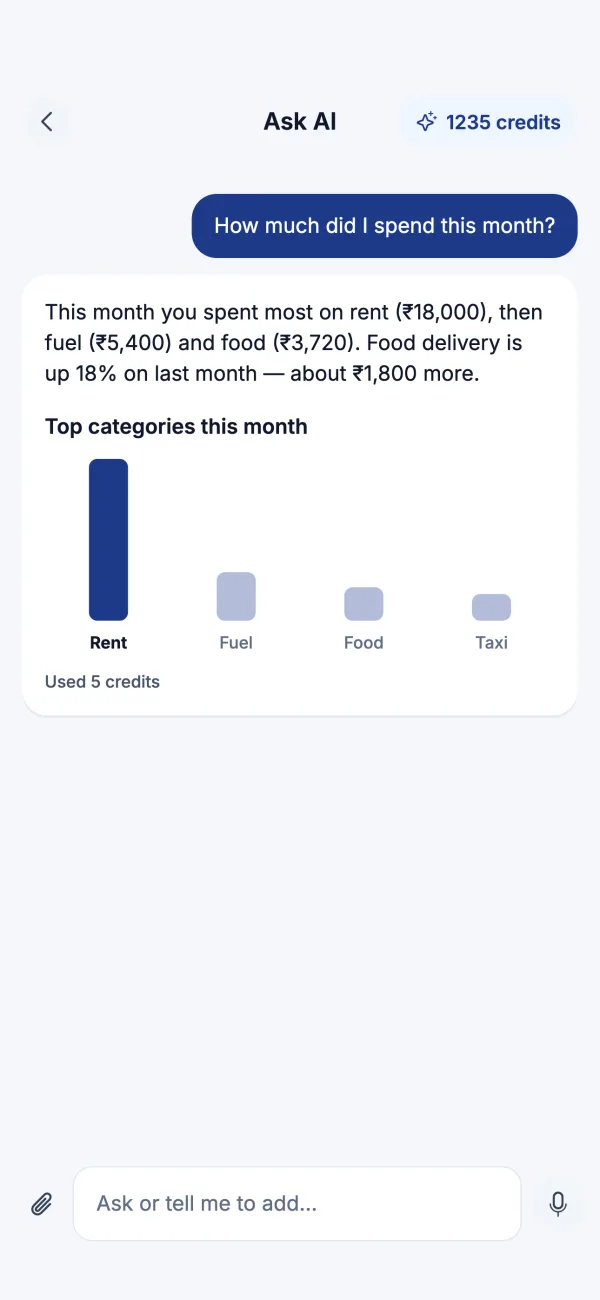
Set a monthly budget, then ask Expense Book anything about your money: where it went, what changed since last month, or how much is left. Ask AI answers from your own entries with a chart — and can move or fix entries when you approve.
How it works
- 1
Set a budget
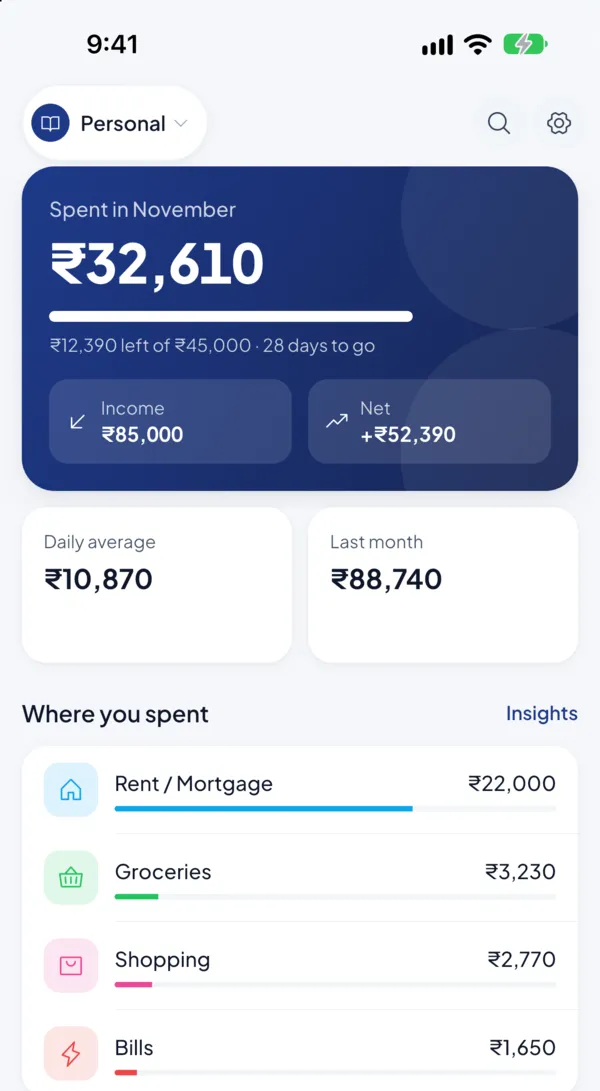
A monthly limit for each book, with spent, left and your daily average.
- 2
Ask
Type or speak a question, like “Compare this month with last month”.
- 3
Act
“Move last week’s taxi rides to Travel” — review the change and apply it.
What you get
- Answers with charts from your own entries
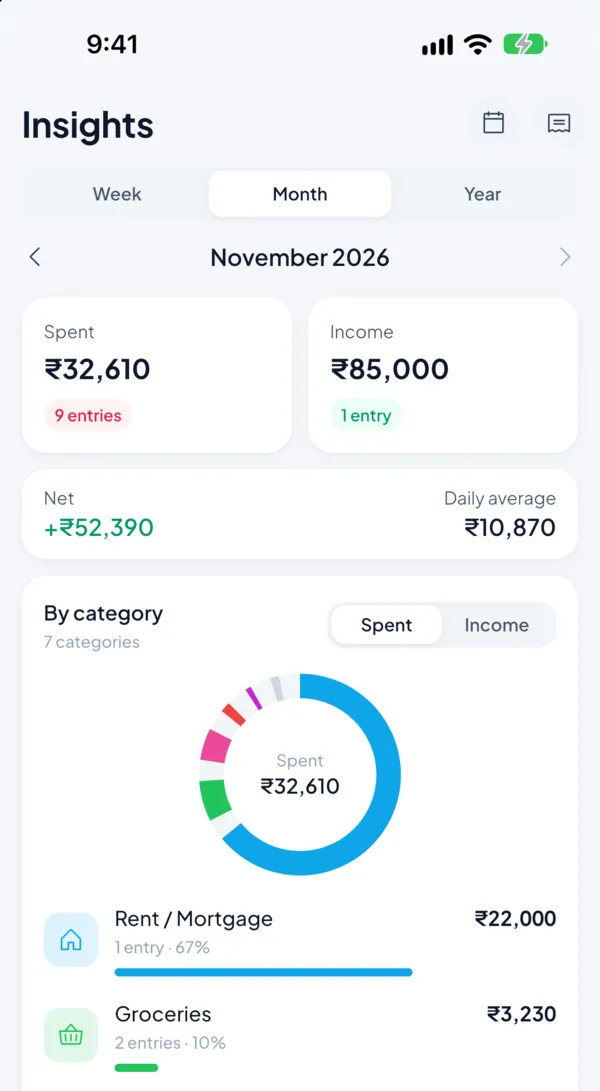
- Spending by category, payee, payment method or period
- Proposes changes; nothing changes until you approve
- Monthly budget and category reports, offline
- Separate books for personal, family and business
Questions
What can I ask?
Totals, comparisons, top categories, biggest expenses, and edits such as moving or recategorising entries.
Is it free?
Yes. Expense Book is free and includes free AI credits every month. You can earn more by inviting friends, or get more with the Pro, Plus or Max plans or a one-time credit pack.
What happens to my data?
Your entries stay on your phone unless you turn on cloud sync. Before you use AI the first time, the app shows what is sent and to which AI provider, and you can change this any time in Settings.