 Expense Book
AI expense tracker · Free on iPhone and Android
The AI expense tracker that does the typing for you
Tracking expenses fails when entering them is a chore. Expense Book uses AI to turn what you say, snap or upload into ready-to-save entries — with the right amount, date, category and payment method. You check each one, then tap Save.

How it works
- 1
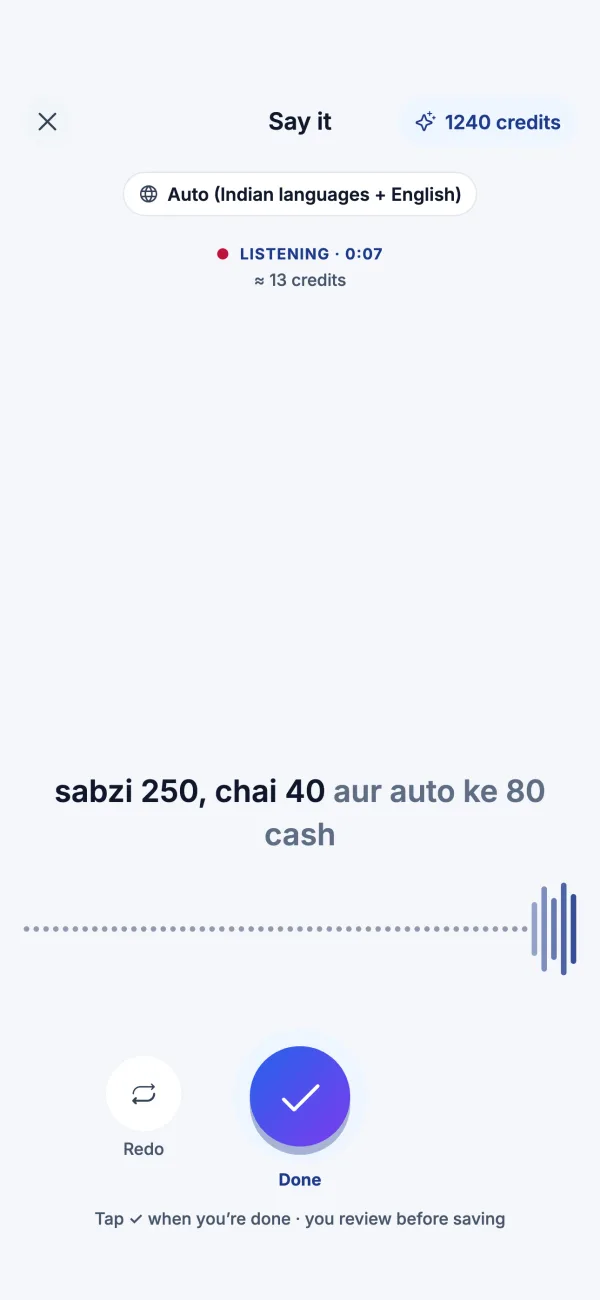
Say it
“250 groceries and 40 for coffee” becomes two entries, in English, Hindi or 9 more Indian languages.
- 2
Scan or upload
A receipt photo, a payment screenshot or a bank statement PDF — all from one button.
- 3
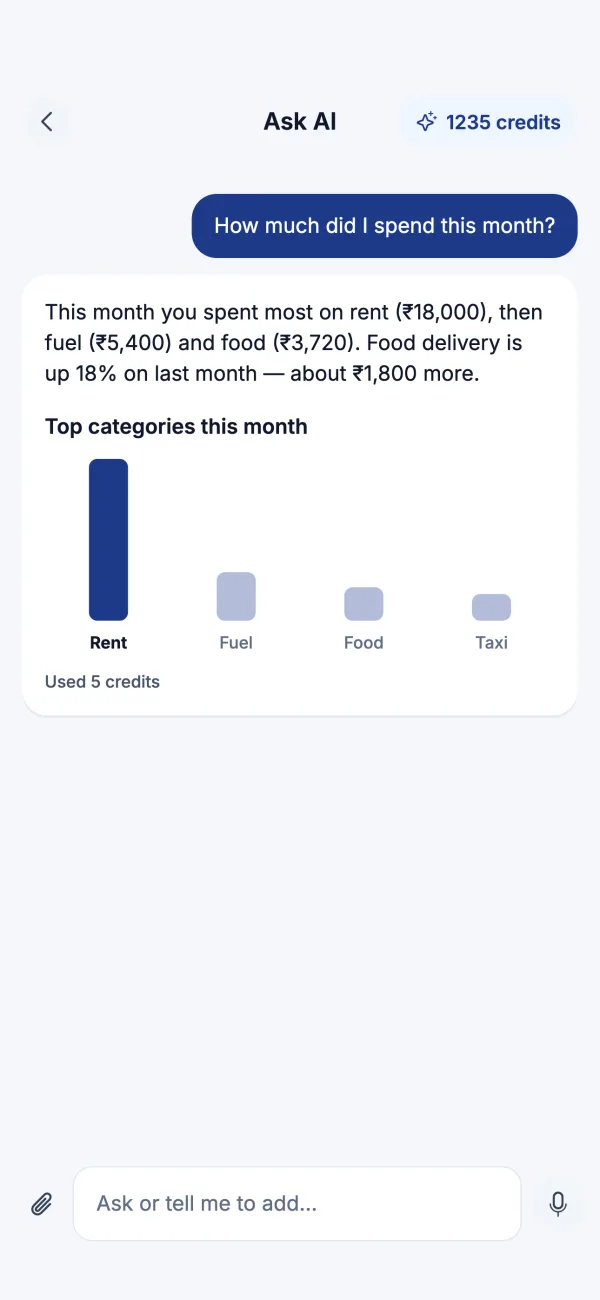
Ask
“How much did I spend on food this month?” Get the answer with a chart.
What you get
- Voice expense entry in 11 languages
- Receipt scanner for photos and PDF bills
- UPI and payment screenshots: several payments at once
- Bank statement import, even for password-protected PDFs
- Ask AI about your spending, or to fix entries — you approve every change
- Monthly budget, reports, multiple books and PDF/CSV export
Questions
What is an AI expense tracker?
An expense tracker that fills in entries for you. Instead of typing amount, category and date, you speak, scan or upload, and the AI prepares the entries. Expense Book always shows them for review before saving.
Is it free?
Yes. Expense Book is free and includes free AI credits every month. You can earn more by inviting friends, or get more with the Pro, Plus or Max plans or a one-time credit pack.
Does it work offline?
The tracker, budgets and reports work fully offline. The AI features need an internet connection and a free sign-in.
What happens to my data?
Your entries stay on your phone unless you turn on cloud sync. Before you use AI the first time, the app shows what is sent and to which AI provider, and you can change this any time in Settings.