 Expense Book
Voice expense tracker · Free on iPhone and Android
Add expenses by voice — in Hindi, English or your own language
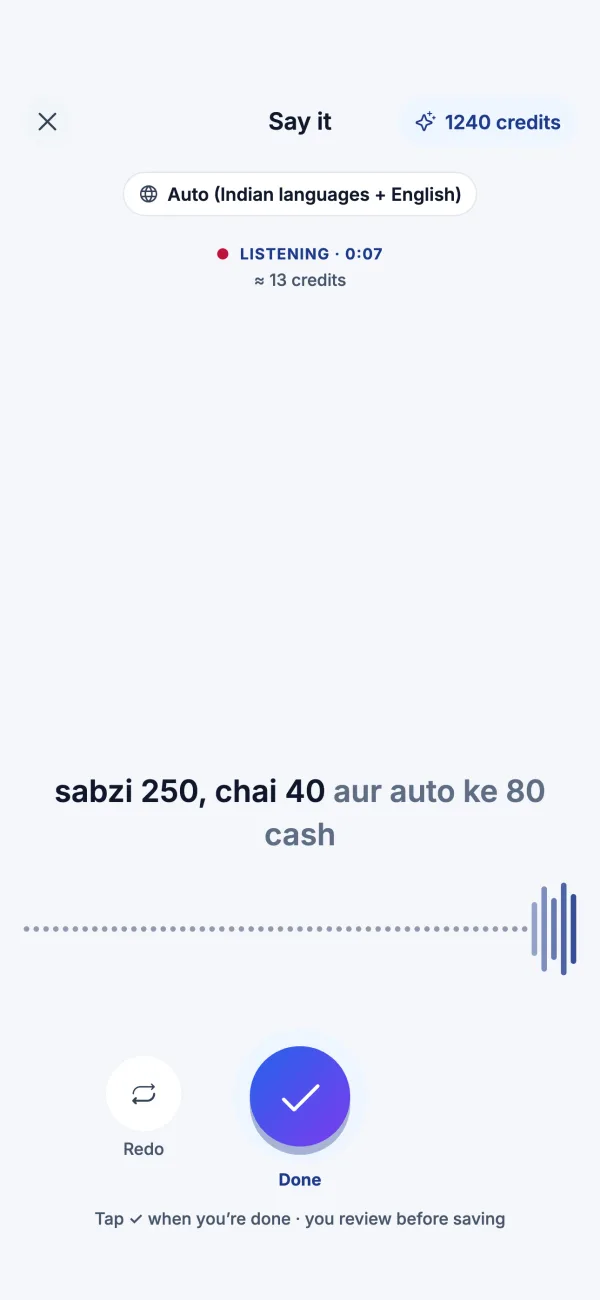
Tap the mic and talk like you would to a friend: “sabzi 250, chai 40 aur auto ke 80 cash”. Expense Book’s voice expense tracker turns it into separate entries with the right categories and payment methods, ready for you to check.

How it works
- 1
Tap the mic
From the home screen, or the mic button on any tab.
- 2
Speak naturally
Mix languages, add several expenses, say “cash” or “UPI” — words appear as you talk.
- 3
Check and save
Each expense becomes its own entry. Tap one to change it, then Save all.
What you get
- English, Hindi, Bengali, Gujarati, Kannada, Malayalam, Marathi, Odia, Punjabi, Tamil and Telugu
- Hinglish and mixed-language sentences work
- Several expenses or income in one go
- Understands “yesterday”, “cash”, “UPI”, “card” and your own payment methods
- Entries are written in English so reports stay consistent
Questions
Can I speak in Hindi?
Yes. Choose Auto (Indian languages + English) or pick Hindi. You can also mix Hindi and English in the same sentence.
Is anything saved before I check it?
No. Voice entries open a review sheet first. Nothing is saved until you tap Save.
Is it free?
Yes. Expense Book is free and includes free AI credits every month. You can earn more by inviting friends, or get more with the Pro, Plus or Max plans or a one-time credit pack.
What happens to my data?
Your entries stay on your phone unless you turn on cloud sync. Before you use AI the first time, the app shows what is sent and to which AI provider, and you can change this any time in Settings.